



SAP provides a wide range of standard Fiori applications for business processes across finance, procurement, maintenance, inventory and other functions. But standard applications don’t always fit the way every organization works.
A company may need a simpler purchase order process, a mobile application for field inspections, or a better way to manage maintenance activities across multiple locations. Sometimes the functionality already exists in SAP, but users still depend on spreadsheets, emails or manual steps to get their work done.
This is where custom SAP Fiori application development comes in.
At Unvired, we have worked with organizations across utilities, oil and gas, and other industrial sectors to configure, extend and develop SAP Fiori applications around their business requirements.
Over the years, we have faced different types of requirements and technical challenges. Some projects involved extending standard SAP applications, while others required building new applications, integrating multiple SAP systems or supporting users working in locations with limited connectivity.
Here are some of the things we have learned from these implementations
-
Start with the business process, not the application
One of the first things we look at in a Fiori project is whether the requirement can be addressed using standard SAP functionality.
Not every business requirement needs a completely new application. Sometimes configuring an existing Fiori application or extending it with a few additional features is enough.
We followed this approach while working with WEL Networks, an electricity distribution company in New Zealand.
The customer needed improvements to three everyday SAP processes: timesheet entry, purchase order creation and goods receipt.
For timesheets, we configured the standard SAP My Timesheet Fiori application and extended it to import assignments based on the user’s data entry profile and role.
Purchase order creation was another requirement. The standard SAP process included more fields than users needed for their particular use case. We developed a simpler SAPUI5 application using a smaller subset of fields available in SAP ECC. We also implemented a check to determine the purchase order release strategy and display the next approver.
For goods receipt, we developed a mobile-friendly application that allows users to search for purchase orders based on purchasing organization and date range.
The purchase order and goods receipt applications required custom backend OData services and SAPUI5 development.
The important point here is that we didn’t replace everything with custom development. We used standard SAP functionality where it made sense and developed additional functionality where the customer’s requirements called for it.
This is an important decision in any Fiori project. Before starting development, understand what SAP already provides, what can be configured and where custom development is actually required.
-
Integration architecture matters more than the interface
Developing a Fiori interface is one part of the work. Making sure it communicates correctly with the SAP backend, handles business validations and processes transactions reliably is another.
This becomes more interesting when an organization operates multiple SAP systems.
In one of our projects for a North American midstream energy company, the customer operated two separate SAP ECC environments. The trading team needed to capture deal information and prepare customer sales contracts without having to work across separate applications or manually manage data between systems.
We took the approach of building a single Fiori application that could work with both SAP ECC environments.
The application identifies the appropriate business context and routes data, validations and transactions to the correct backend. From the user’s perspective, it is one application with a consistent interface. The underlying system differences are handled by the application.
We also introduced guided workflows and business validations during deal capture. Customer sales contracts are generated automatically based on approved deal information.
There were several technical considerations involved in getting this right. Backend identification, transaction routing, validation handling and data consistency all needed to work across the two SAP environments.
The experience reinforced something we have seen in other SAP projects as well: integration architecture should be considered early in the development process. It is not something that can be left until the application screens are ready.
-
Mobile and offline capabilities need to be planned early
Many SAP applications are used by people who don’t spend their entire working day in front of a computer.
Maintenance technicians, warehouse employees, inspectors and field personnel often work in locations where network connectivity is limited or unavailable.
For these users, simply making an SAP application responsive for mobile devices is not enough. They may need to access information, complete activities and capture updates even when they are offline.
We encountered this requirement while developing a maintenance planning and scheduling application for a North American drilling company.
The customer operated multiple drilling rigs and field service locations across the US and Canada. Maintenance planning involved several teams, including planners, supervisors and field technicians.
Technicians needed access to work orders, equipment information, task lists and supporting documents while working at remote locations. Waiting for network connectivity to complete maintenance activities was not practical.
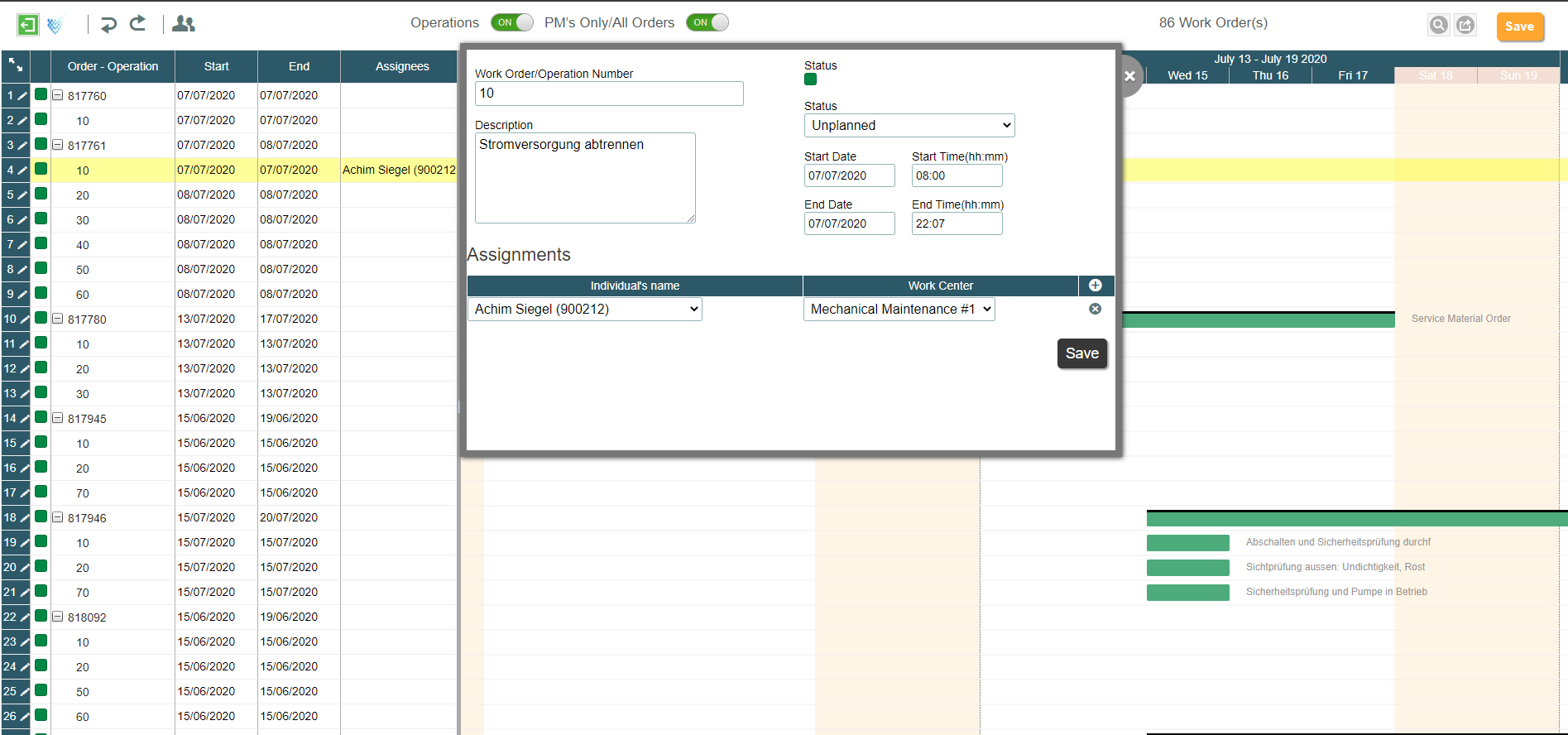
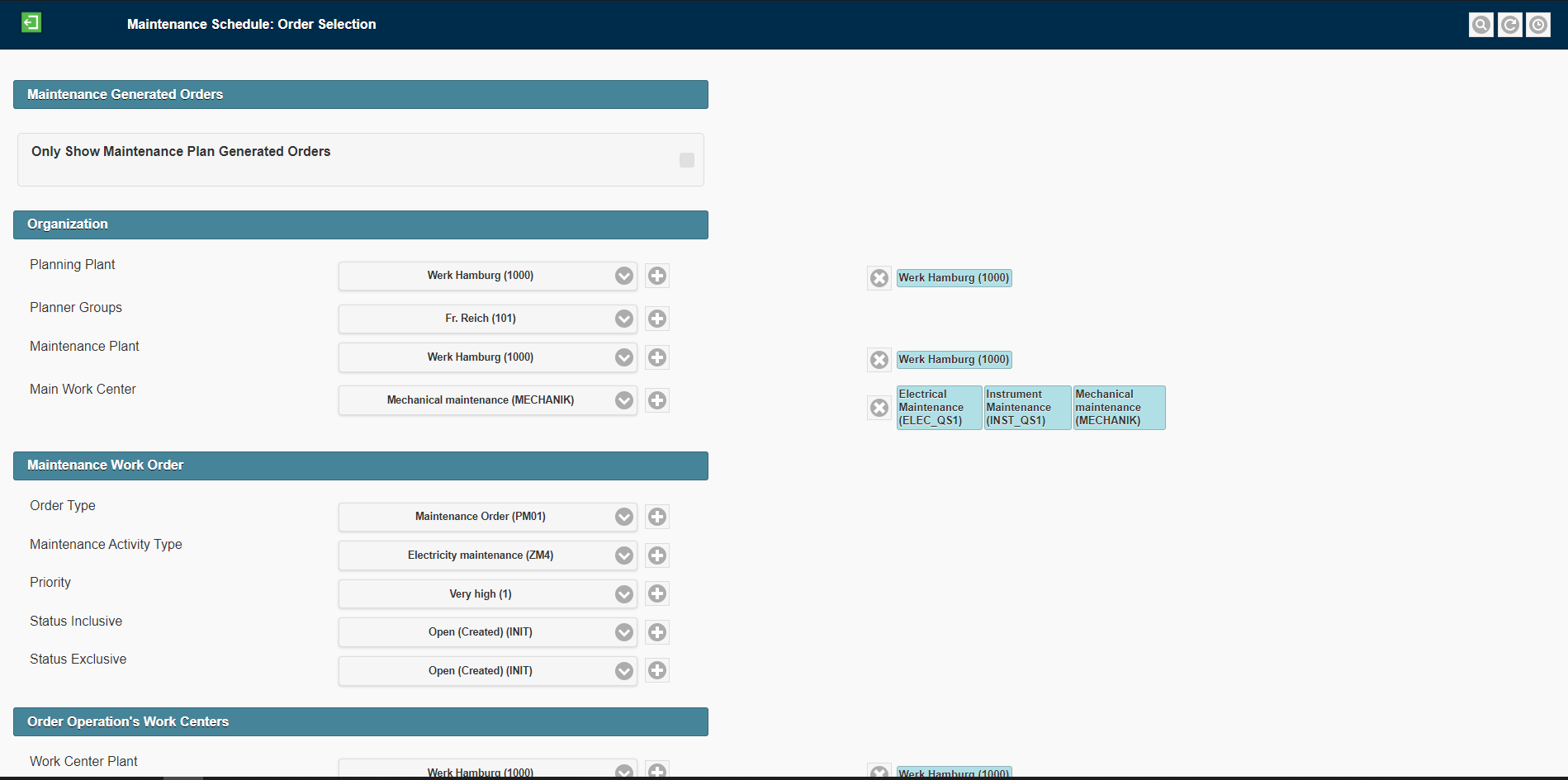
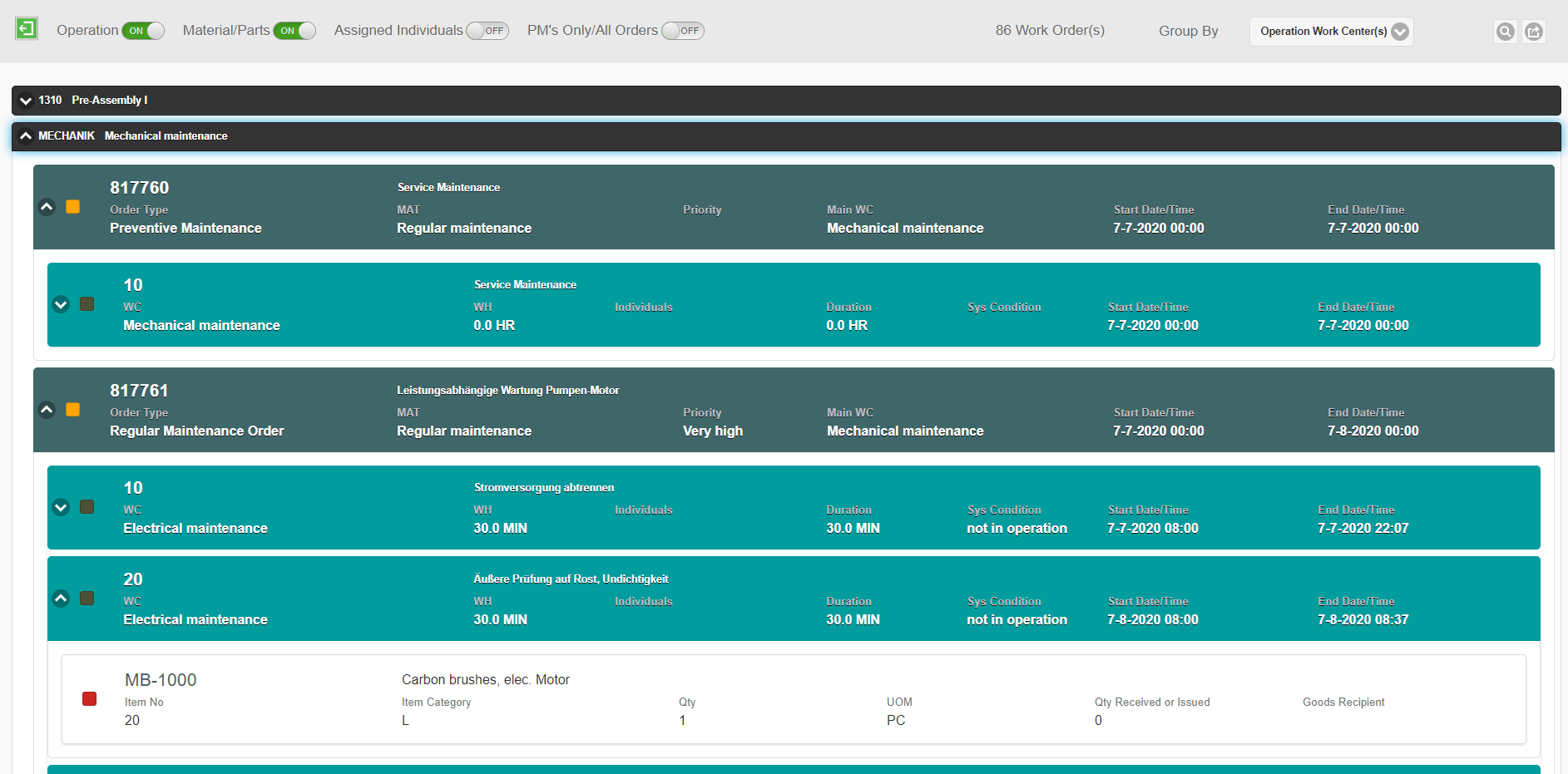
We developed a custom SAP Fiori application integrated with SAP Enterprise Asset Management (SAP EAM).
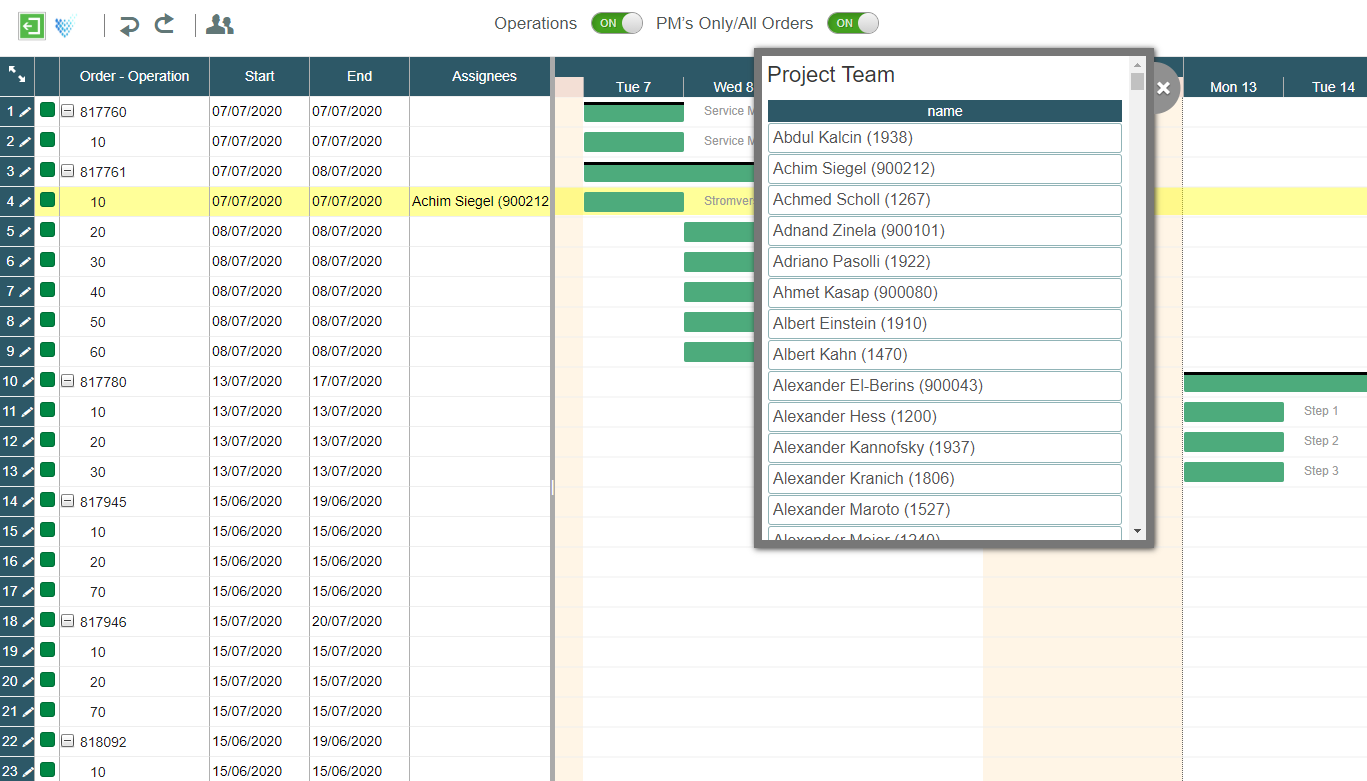
Planners can schedule work orders and assign technicians based on skills, availability and location. They also have access to equipment history and spare parts information while planning maintenance activities.
Technicians can receive their assigned work orders on mobile devices, complete inspections and capture maintenance updates. The application supports offline working, with updates synchronized to SAP when connectivity is restored.
We addressed similar requirements in the asset condition monitoring application developed for WEL Networks.
The application uses an interactive ESRI map to help field personnel view assets and conduct inspections. Users can inspect logically related groups of equipment through a single inspection process.
Field personnel can use the application on iPads without network connectivity, while office users can access it through a browser. The application also supports inspection reports and the creation of SAP notifications with attachments.
The solution uses SAP Business AI Platform (BAIP) and SAP BTP, along with SAP Mobile Services, Mobile Development Kit (MDK), SAP Business Application Studio and SAP Cloud Connector.
These implementations reinforced the importance of considering offline requirements during application architecture and design.
Questions such as what information needs to be available on the device, what activities can be completed offline and how updates are synchronized with SAP need to be addressed early.
Offline support is not simply a feature to add at the end of development.
-
Enterprise security and error handling are often underestimated
Some of the more difficult challenges in SAP Fiori development are not necessarily related to the user interface or even the SAP backend. They come from the customer’s enterprise environment.
We encountered this while developing the trading application that integrated with two SAP ECC systems.
The application worked in our development environment, but the customer’s corporate network security policies introduced additional considerations.
Web Application Firewall (WAF) and proxy configurations behaved differently from the development environment. Certain network requests needed to be structured carefully to comply with enterprise security inspection rules while ensuring that complex transactions were processed and persisted reliably.
This required us to pay close attention to how requests were handled and how the application interacted with the customer’s network infrastructure.
Another challenge was handling SAP backend errors.
SAP BAPIs can return detailed error information in deeply nested technical structures. These responses are useful from a technical perspective, but displaying them directly to business users doesn’t help much.
For example, a user trying to submit a transaction needs to know what information is missing or what needs to be corrected. They don’t need to interpret a complex SAP error structure.
We implemented custom error extraction and transformation logic to interpret SAP responses and present clearer validation messages in the application.
This made it easier for users to identify and correct issues and also helped during application testing.
There are two practical lessons here.
First, test applications against the customer’s enterprise network and security configurations early. Services that work in development may behave differently behind corporate proxies and WAFs.
Second, invest in proper error handling. Translating technical backend errors into meaningful messages is an important part of building an application that people can actually use.
-
Keep the application simple for the people using it
One of the main reasons organizations invest in custom Fiori applications is to simplify the way employees interact with SAP.
A standard SAP transaction may support many different scenarios, but an individual user may only need a small part of that functionality.
Showing every available field and option doesn’t necessarily make an application more useful.
In the WEL Networks purchase order application, for example, we reduced the number of fields to what users actually needed for the process. We also included the purchase order release strategy check and the next approver information.
Similarly, in the trading application, guided workflows and validations help users capture deal information correctly before it moves to the next stage.
The maintenance planning application takes a different approach by providing planners, technicians and supervisors with views relevant to their respective roles.
The objective is the same in each case: give users the information and functionality they need without making them navigate unnecessary screens or steps.
This is also an important part of SAP Fiori design. Understanding the user’s role and the actual task being performed should guide the application design.
-
What should you look for in a custom SAP Fiori development partner?
If you are evaluating partners for custom SAP Fiori application development, there are a few things worth considering beyond their knowledge of SAPUI5.
-
Understanding of SAP business processe
Does the development team understand the business process behind the application? Experience with SAP EAM, procurement, inventory or other business functions can make a significant difference when translating requirements into working applications.
-
SAP integration experience
Ask how the team handles OData services, backend business logic, SAP authorizations and integration with multiple SAP systems.
-
Mobile and offline development
If your users work in plants, warehouses or remote locations, ask about their experience building mobile applications that can operate without continuous connectivity.
-
Architecture and security
The application needs to work within your existing SAP landscape and enterprise security environment. Ask how the development team approaches network connectivity, authentication, authorization and error handling.
-
Ability to work with standard SAP functionality
A good development partner should be able to tell you when standard SAP functionality is sufficient and when custom development is justified. Building everything from scratch is not always the best solution.
Why Unvired for custom SAP Fiori development?
Unvired has been working with SAP technologies and enterprise applications for industrial organizations across manufacturing, utilities, oil and gas and other sectors.
Our experience goes beyond developing user interfaces. We understand the SAP processes behind the applications, including enterprise asset management, maintenance, procurement, inventory, warehouse operations and field service.
Our capabilities include:
-
SAP Fiori and SAPUI5 development
Building custom applications and extending standard Fiori functionality.
-
SAP ECC and S/4HANA integration
Connecting applications with SAP backend systems using OData services and other integration technologies.
-
SAP Business AI Platform (BAIP) and SAP BTP development
Building enterprise applications and extensions using SAP Business AI Platform (BAIP) and SAP BTP.
-
SAP mobile applications
Developing applications for field workers, warehouse teams and maintenance personnel, including offline capabilities.
-
SAP business process expertise
Working across maintenance, work orders, inventory, warehouse management, inspections and other operational processes.
As an SAP Silver Partner, we help organizations extend their existing SAP systems and make business processes easier for employees to execute.
Whether it is simplifying an existing SAP transaction, building a mobile inspection application or developing a completely new business workflow, we work with customers to understand the requirement and identify the right approach.
Looking for a custom SAP Fiori development partner?
If your organization is looking to develop new SAP Fiori applications, extend standard Fiori functionality or modernize existing SAP applications, Unvired can help.
We work with businesses to understand their requirements, evaluate the existing SAP landscape and develop applications that fit their processes.
Have a custom SAP Fiori requirement?
Get in touch with our SAP team to discuss your requirements.